WordPress design is more than just aesthetics—it’s the backbone of a seamless user journey. An intuitive, well-crafted WordPress site can guide visitors effortlessly from awareness to action, impacting their overall experience and engagement.
Key takeaway: Optimising WordPress design isn’t just about looking good; it’s about creating an enjoyable, efficient user journey that drives engagement and satisfaction.
In this article, you’ll learn:
- The essence of the user journey in web design.
- How to optimise each stage of the user journey through WordPress design strategies.
- Tools and techniques to enhance user experience on your site.
- Best practices for responsive web design.
- Real-world insights from Planit Scotland’s customer-centric web design solutions.
Furthermore, we will delve into how leveraging advanced tools like Google Analytics 4 can significantly improve your understanding of user behaviour, ultimately enhancing your website’s design and functionality.
As we explore these topics, we’ll also highlight some of the successful marketing strategies that have been implemented by local businesses, such as those involved in the Shop Local incentive created by Inverness Airport.

Understanding the User Journey in Web Design
The user journey in web design refers to the path a visitor takes from their first interaction with your site to the final goal, such as making a purchase or signing up for a newsletter. It’s about understanding and mapping out each step your audience goes through, which can be visualised using a customer journey map.
Importance of User Personas
Creating detailed user personas is crucial. These semi-fictional characters represent different segments of your target audience, taking into account various factors like demographics, behaviours, and needs. By understanding these personas, you can tailor your website’s experience to meet the unique requirements of each group.
Key elements influenced by demographics and preferences:
- Design Choices: Age and cultural background can affect colour preferences and design aesthetics.
- Content Presentation: Younger audiences might prefer video content, while professionals may look for detailed articles or case studies.
- Navigation Style: Tech-savvy users might appreciate advanced features, whereas others might need a more straightforward interface.
Enhancing User Engagement through Insights
By integrating these insights into your WordPress design strategy, you enhance user engagement and satisfaction, leading to a smoother and more effective user journey. This aligns with the principles of user experience, which focuses on creating meaningful and relevant experiences for users.
However, achieving this requires not just understanding your audience but also implementing strategies that allow you to work smarter, not harder. This approach can help streamline processes and improve efficiency in meeting user needs.
Staying Updated on E-commerce Changes
Moreover, when it comes to e-commerce platforms like Google Shopping, it’s essential to stay updated on the latest product identifier updates, as these can significantly impact your online visibility and sales.
Leveraging Customer Feedback for Growth
Finally, don’t underestimate the power of customer feedback. It’s always time to review your reviews and leverage them for business growth.

Stages of the User Journey and Their Relevance in WordPress Design
Understanding the five stages of the user journey is crucial for crafting an effective user experience with WordPress design:
- Awareness Stage: Users first discover your website. Optimise this stage by using engaging headlines, captivating images, and clear value propositions to grab attention. Incorporating social media content marketing strategies can significantly enhance your reach during this stage.
- Exploration Stage: Visitors begin to explore your content. Ensure your navigation is intuitive, your site is easy to browse, and provide relevant information through well-organised categories.
- Evaluation Stage: Users compare options and consider solutions. Highlight testimonials, case studies, and detailed product/service descriptions to build trust and provide valuable insights.
- Action Stage: The decision-making moment. Use strong calls-to-action (CTAs), simplified forms, and secure checkout processes to encourage conversions.
- Completion Stage: Post-action activities like order confirmation or follow-up emails. Enhance this stage with personalised thank-you messages, easy access to customer support, and opportunities for feedback.
Each stage can be optimised through specific WordPress design strategies tailored to meet users’ needs at different points in their journey. For example, upskilling your marketing team with bespoke training services can empower them to implement these strategies more effectively.
Optimising User Experience at Every Stage of the Journey with WordPress Design Strategies
Creating a Seamless Navigation Structure
A seamless navigation structure is crucial for guiding users through their journey on your WordPress site. Simplifying the navigation menu, using descriptive labels, and implementing a hierarchical organisation ensures users can find what they need without frustration.
- Simplified Menus: Keep menus concise to avoid overwhelming visitors.
- Descriptive Labels: Use clear, intuitive labels that reflect the content accurately.
- Hierarchical Organisation: Group related items logically to streamline user access.
Importance of Visual Hierarchy
Visual hierarchy directs users’ attention towards key elements such as calls-to-action (CTAs), enhancing user engagement and conversion rates.
“Design is not just what it looks like and feels like. Design is how it works.” — Steve Jobs
- Headings and Subheadings: Use different font sizes and weights to distinguish sections.
- Colour and Contrast: Employ contrasting colours to make CTAs stand out.
- White Space: Leverage white space to prevent clutter and improve readability.
By optimising user experience with WordPress design strategies, we create an inviting, intuitive environment that naturally guides users through their journey, ensuring they find value at every touchpoint. This aligns with the fundamental web design principles that focus on enhancing usability and aesthetics.

Tools and Techniques for Enhancing User Experience on WordPress Sites
User testing tools for WordPress sites are essential to understanding how users interact with your site and identifying areas for improvement. Some popular tools include:
- Hotjar: This tool offers heatmaps, session recordings, and feedback polls, giving you insight into user behaviour and engagement.
- Crazy Egg: Similar to Hotjar, Crazy Egg provides heatmaps and user recordings but also includes A/B testing capabilities.
- Google Optimize: Integrated with Google Analytics, it allows for A/B testing and personalisation features to enhance user experience based on data-driven insights.
Each of these tools has unique strengths:
- Heatmaps: Help visualise where users click, scroll, or hover the most.
- Session recordings: Provide real-time playback of user interactions.
- Feedback polls: Gather direct user feedback without interrupting their experience.
Understanding Website Audits
Website audits are crucial for identifying areas of improvement. There are two main types:
- Automated Audits
- Manual Audits
Both have their pros and cons:
Automated Audits
- Pros: Speed, efficiency, and the ability to quickly identify technical issues like broken links or slow load times.
- Cons: May miss nuanced UX problems that require human judgement.
Manual Audits
- Pros: In-depth analysis of user experience with a human touch, identifying subtle issues impacting usability.
- Cons: Time-consuming and potentially more costly.
Combining both approaches often yields the best results—automated tools catch quick fixes while manual reviews dive deeper into the user’s perspective.
Investing in a New Website
Investing in a new website can significantly enhance user experience and yield a positive return on investment. For instance, if you invest £1,800 in a new website, understanding when you’ll see your return is crucial. Additionally, leveraging online advertising through strategies like Google’s Performance Max can also improve your site’s visibility and performance. This approach is particularly beneficial for achieving recognition through online ads.

Best Practices for Ensuring a Smooth User Experience Across Devices with Responsive Web Design Techniques
Delivering a seamless user experience across various devices requires adherence to responsive web design best practices. Optimising your WordPress site ensures visitors enjoy a consistent, intuitive journey, whether on desktop, tablet, or mobile.
Tips for Implementing Responsive Design Principles in Your WordPress Themes or Templates
- Choose a Responsive Theme: Select themes that are inherently responsive, ensuring they adjust seamlessly to different screen sizes and orientations.
- Flexible Grid Layouts: Employ flexible grid layouts using CSS frameworks like Bootstrap or Foundation to create fluid designs that scale dynamically.
- Media Queries: Utilise CSS media queries to apply different styles based on the device’s screen size, resolution, and orientation.
- Fluid Images and Videos: Ensure media elements are flexible by setting maximum widths at 100%, allowing them to scale within their containing elements.
- Viewport Meta Tag: Include the viewport meta tag in your HTML to control layout on mobile browsers.
How to Test Your Site’s Responsiveness Effectively
- Browser Developer Tools: Leverage built-in tools like Chrome DevTools or Firefox Developer Tools for real-time testing and adjustments.
- Responsive Design Testing Tools: Use online tools such as BrowserStack or Responsinator to see how your site appears on various devices and browsers.
- Manual Testing: Physically test your site on different devices—smartphones, tablets, laptops—to identify any issues not caught by automated tools.
Implementing these best practices ensures that your WordPress site remains accessible and engaging across all platforms, enhancing user satisfaction and engagement.
In addition to these technical aspects, it’s important to remember that promoting your website effectively is equally crucial. Promoting with Social Media can significantly enhance your site’s visibility and reach. Furthermore, if you’re looking to share your story or business effectively, consider leveraging PR & Media Relations services which can help you connect with a broader audience.
Lastly, if you ever find yourself needing to present your ideas or business proposals related to your website’s content, remember these Top Tips for Pitching with Confidence. These tips can provide you with the necessary skills to communicate effectively and confidently.
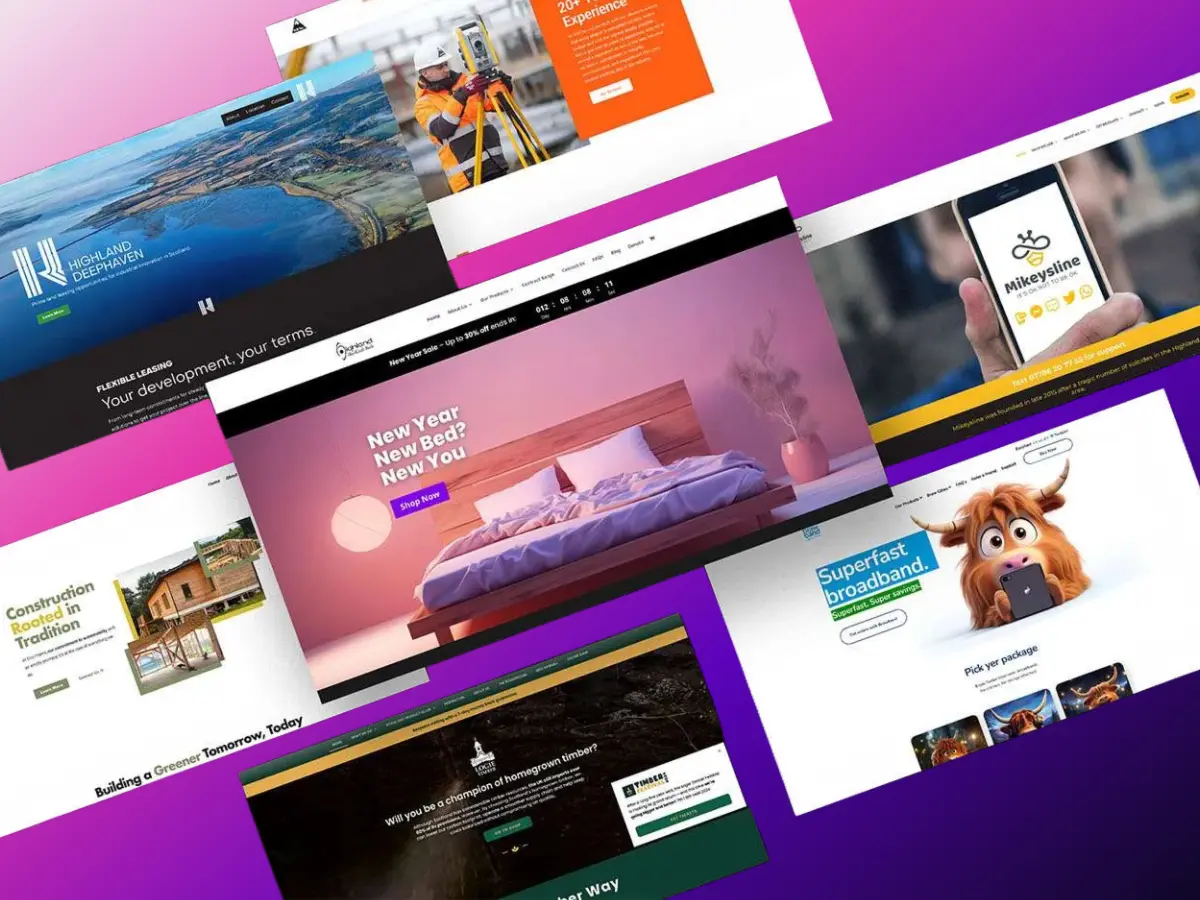
Case Study: Planit Scotland’s Success Story with Customer-Centric Web Design Solutions
Planit Scotland is a leading web design service in Scotland. We specialise in creating custom websites that prioritise the needs of users, resulting in smooth and enjoyable online experiences.
Key Takeaways from Planit Scotland’s Approach
1. User-Centric Philosophy
Planit Scotland’s success stems from our commitment to understanding the target audiences of our clients. By developing detailed user profiles and mapping out user journeys, we ensure that every aspect of the website caters to specific user requirements and preferences.
2. Holistic Design Strategy
Our approach goes beyond just making things look good. We incorporate user-friendly navigation, clear visual hierarchy, and responsive design elements to create websites that are not only visually appealing but also highly functional on all devices.
3. Continuous Improvement
Planit Scotland values feedback from users and uses it to continuously improve the user experience. Through surveys and analytics, we gather insights that help them refine and enhance the website over time. This flexibility ensures that the websites adapt to changing user expectations and technological advancements.
Additional Services Offered by Planit Scotland
In addition to web design, Planit Scotland provides expertise in marketing, including online advertising and social media strategies. Our proficiency in creating engaging Facebook Ads campaigns allows businesses to effectively reach their ideal audience.
For those looking to make a significant impact in their industries, Planit Scotland offers valuable insights through initiatives like supporting IMPACT 30, which aims to assist new and upcoming businesses.
Understanding the importance of SEO in today’s digital landscape, we also provide comprehensive guides on keyword research. This knowledge is crucial for businesses seeking to improve their search engine rankings and overall online visibility.
Planit Scotland demonstrates how a customer-centric approach can turn web design into a powerful tool for engaging users and driving conversions while also providing invaluable marketing support.
Summary & Next Steps
Are you ready to elevate your WordPress site? By implementing the strategies discussed, you can significantly enhance user engagement and satisfaction.
For tailored web design solutions that prioritise user experience, consider reaching out to Planit Scotland. Our expertise in creating customer-centric websites guarantees a seamless user journey and measurable results.
In addition to web design, Planit Scotland also offers business development services that can help you sort through the clutter and plan for the future.
If you’re looking to advertise your business in Inverness, our 10 tips for advertising can provide valuable insights whether you’re working with a large budget or a shoestring one.
Don’t wait any longer, reach out today and transform your website into a powerful tool for business growth.
Frequently Asked Questions
What is the significance of WordPress design in enhancing user journeys?
Optimising WordPress design is crucial as it significantly enhances user experiences and drives engagement. A well-designed website can guide users effectively through their journey, ultimately leading to higher satisfaction and conversion rates.
How can understanding user personas improve web design?
Creating user personas allows designers to tailor experiences for different target audiences. By understanding demographics and preferences, designers can make informed decisions that align with user needs, resulting in a more engaging and effective website.
What are the five stages of the user journey in web design?
The five stages of the user journey are awareness, exploration, evaluation, action, and completion. Each stage presents unique opportunities for optimisation through specific WordPress design strategies that enhance the overall experience.
What strategies can be used to optimise user experience at each stage of the journey?
To optimise user experience, it is essential to create a seamless navigation structure that guides users through their journey. Additionally, employing visual hierarchy helps direct users’ attention towards key elements such as calls-to-action (CTAs).
What tools are available for enhancing user experience on WordPress sites?
There are various tools available for conducting user testing and gathering feedback on WordPress sites. Understanding the pros and cons of using automated versus manual website audits can help identify UX issues effectively.
How can I ensure my WordPress site is responsive across devices?
Implementing responsive design principles in your WordPress themes or templates is essential for ensuring a smooth user experience across devices. Testing your site’s responsiveness effectively will help ensure that all users have an optimal experience regardless of their device.